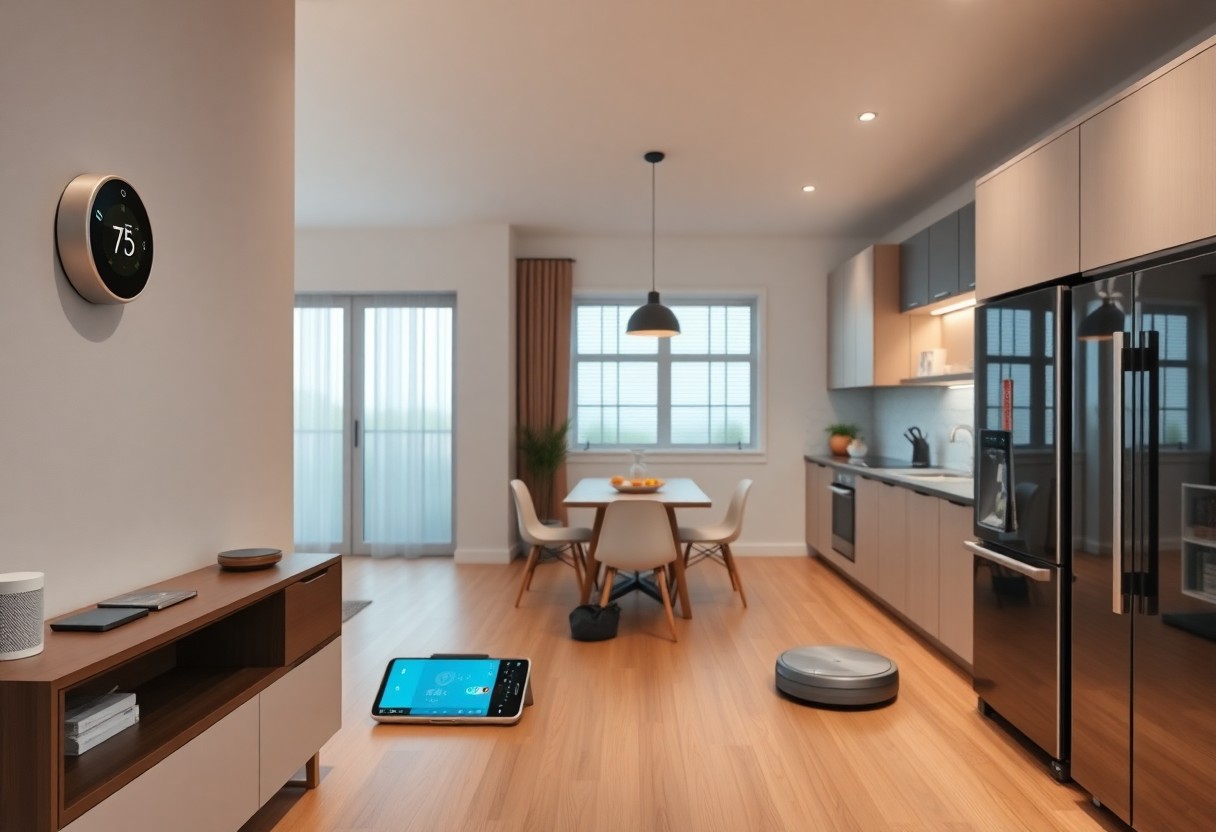
You should explore smart locks, voice assistants, cameras, and energy monitors to increase convenience and energy savings, but privacy risks demand that you secure your network and choose trusted brands.
Essential Types of Smart Home Ecosystems
You will encounter five dominant smart home ecosystems: voice-first, hub-centric, app-driven, DIY, and cloud-hosted, each trading control for convenience while exposing different degrees of privacy risks.
Systems built around local control limit external access and can reduce security risks, whereas cloud-dependent platforms often offer easier setup and broader integrations at the cost of vendor reliance.
- Voice-first
- Hub-centric
- App-driven
- DIY
- Cloud-hosted
| Voice-first | Focus on assistants; high convenience, medium privacy risks |
| Hub-centric | Local orchestration via a central hub, better device compatibility |
| App-driven | Manufacturer apps, easy device control, variable security |
| DIY | Full control and customization with higher maintenance |
| Cloud-hosted | Remote access and integrations with increased external dependency |
Centralized Hubs and Connectivity Protocols
Connectors like dedicated hubs translate protocols such as Zigbee, Z-Wave, and Wi‑Fi, simplifying automations but creating a single point of failure that you must protect with network segmentation and timely updates.
Core Devices for Lighting, Security, and Climate
Devices including smart bulbs, cameras, and thermostats drive lighting, security, and climate control; you should favor hardware offering local control, regular firmware patches, and explicit privacy options to minimize privacy risks.
Thou should prioritize cameras with end-to-end encryption, thermostats that enable local scheduling for energy savings, and bulbs with offline fallback to reduce service interruptions.

Critical Factors to Consider Before Implementation
Consider your home’s topology, current network bandwidth, and how many devices will run concurrently so you can avoid unexpected slowdowns or security gaps.
- network bandwidth – expected throughput and peak load
- Wi-Fi range – signal coverage and interference
- data encryption – transit and at-rest protections
- device compatibility – firmware updates and vendor policies
Assessing Network Bandwidth and Range Requirements
Evaluate peak usage scenarios by testing throughput in key locations and simulating high-load events; identify whether 2.4GHz or 5GHz bands meet your range and latency needs, and add wired links for cameras or hubs to reduce strain from wireless interference.
Evaluating Privacy Standards and Data Encryption
Review vendor privacy policies and confirm support for end-to-end encryption or local processing; services that default to cloud-only analytics can expose you to third-party access and unnecessary data retention.
Protect access by changing defaults, enabling MFA, and ensuring devices receive timely updates; unpatched firmware and exposed ports are the most dangerous attack vectors you must mitigate.
The best practice is to segregate IoT traffic on a separate VLAN, minimize retained telemetry, and pick devices that let you keep sensitive processing on-premises while enforcing strong data encryption and audit logs.
Smart Home Technology Every Tech Enthusiast Should Try
| Step | Action |
|---|---|
| Network | Create a separate guest SSID or VLAN for IoT, change router admin credentials, and disable WPS. |
| Hub | Pick a hub that supports local processing, enable automatic updates, and restrict cloud access where possible. |
| Automation | Start with simple routines, test triggers, and keep configuration backups. |
Establishing a Secure Foundation and Hub Integration
Begin by isolating IoT devices on a separate SSID or VLAN to limit lateral movement; change the router admin password and disable WPS to remove common exploits.
Set firmware updates to automatic and replace default credentials on every device; enable firewall rules and close unused ports to reduce external attack vectors.
Pairing Devices and Creating Initial Automation Routines
When pairing, put each device into pairing mode one at a time and follow manufacturer instructions; confirm each device is on the IoT network and not your main LAN to limit exposure.
Connect simple automations such as timed lighting and presence-based heating to validate behavior; test triggers during low-impact times and schedule hub configuration backups.
Verify firmware is current and change any default PINs during first setup; prefer devices that allow local processing so sensitive data stays off third-party servers.
Pros and Cons of Advanced Home Integration
You gain centralized control, automation, and energy savings that simplify routines and cut costs, though you accept a larger attack surface and potential vendor lock-in. Automated safety routines and remote monitoring boost convenience but can expose sensitive data if left unprotected.
Consider the trade-offs between convenience and upkeep: complex integrations require ongoing updates and troubleshooting, and a single misconfigured device can affect many systems. You should enforce strong credentials and network segmentation to reduce risk and downtime.
- You enjoy scheduled automation, remote overrides, and measurable energy reductions.
- You face firmware drift, cross-vendor quirks, and a broader surface for attacks.
- You can plan phased upgrades, but ecosystem lock-in may limit future choices.
Pros vs Cons
| Benefits | Risks |
|---|---|
| Centralized control, energy savings, remote access | Expanded attack surface, update burdens |
| Custom automation and convenience | Compatibility issues, vendor lock-in |
Benefits of Enhanced Efficiency and Remote Access
Remote control lets you adjust climate, lighting, and security from anywhere, helping you lower consumption and respond to alerts faster. Energy savings and reclaimed time are clear gains when automations are tuned to your habits.
Potential Risks of System Complexity and Maintenance
Complexity can overwhelm you as devices demand frequent patches and cross-vendor fixes; single-point failures may cascade and disrupt multiple services. You should schedule routine checks and backups to keep systems reliable.
Maintenance requires you to track firmware versions, remove orphaned devices, and test automations regularly; neglect can create security holes or persistent false alarms that reduce trust in the system.
Expert Tips for Optimizing User Experience
Optimize your Smart Home layout by grouping devices by room and function, assigning clear names, and trimming automations so you spend less time resolving conflicts. Keep default credentials changed and isolate guest devices to reduce the risk of breaches; avoid exposing sensitive devices to voice control without safeguards.
- User Experience: centralize control and prioritize quick actions.
- Voice Commands: use unique, short triggers to lower false activations.
- Firmware: schedule updates and verify vendor sources before applying.
Balance automation with manual overrides and test scenes in real conditions to ensure reliability. Monitor latency, battery levels, and network congestion to maintain consistent performance. Recognizing you should prioritize devices with long-term vendor support and timely Security Updates.
Customizing Voice Commands and Scene Triggers
Customize your Voice Commands so they map to obvious actions and avoid overlap; assign confirmations for critical commands like unlocking doors and mark which devices should never be operated by voice alone. Test phrases across accents and keep a log of misfires so you can refine triggers and reduce false activations.
Implementing Regular Firmware and Security Updates
Program update policies that separate routine patches from major firmware upgrades and test large updates on a single device first to prevent widespread downtime. Use vendor-signed packages and enable automatic security patching where possible to close known vulnerabilities quickly.
Patch devices during low-usage windows, keep backups of configurations, enforce multi-factor authentication on management accounts, and retire hardware that no longer receives Firmware or Security Updates to avoid exposure from outdated firmware.
Future-Proofing Your Tech-Forward Living Space
You should pick devices and hubs that promise regular over-the-air firmware updates and support emerging protocols so you avoid frequent full-system replacements. Over-the-air updates extend device life, while outdated hardware poses a security risk if left unpatched.
Plan for modular upgrades so you can swap radios or controllers instead of replacing entire systems, and favor vendors with clear update roadmaps. Vendor commitment is the best signal that your setup will remain supported long term.
Transitioning to Matter and Thread Standards
Adopting Matter and Thread lets you mix brands and reuse devices across platforms, so you can build a heterogeneous setup that stays functional as standards evolve. Matter compatibility offers interoperability benefits, whereas unsupported devices risk obsolescence.
Using AI for Predictive Home Management
Integrating AI models into your hub helps you predict heating, lighting, and device failures from usage patterns, reducing energy waste and unexpected outages. Predictive automation saves costs, but you must manage privacy considerations when models process personal data.
Expect better outcomes when you supply clean sensor data and favor on-device inference to limit external exposure and latency. Local inference minimizes data transfer to the cloud and lowers privacy risk.
Monitor model drift, schedule retraining, and implement clear fail-safes and manual overrides so automation never endangers occupants or property. Fail-safes and manual control prevent AI errors from causing harm.
Final Words
So you should explore smart thermostats, voice assistants, programmable lighting, security cameras, door locks, and energy monitors to make your home more convenient and secure. You will gain hands-on insight into interoperability, privacy settings, automation routines, and long-term savings while testing different ecosystems and choosing devices that match your habits and budget.